

Published: January 8, 2026 | Last Updated: January 8, 2026
What Is Cloud TCO? How to Calculate Total Cost of Ownership

Table of Contents
Moving your workloads to the cloud can come with a wide array of improvements. Flexibility, scalability, efficiency, and innovation can all be aided by the cloud. However, if a team isn’t mindful of the resources they’re using, the total cost of cloud computing can become unmanageable.
Many organizations now adopt FinOps practices to continuously manage cloud spend by aligning engineering, finance, and business stakeholders. We’ve compiled an ultimate guide to help you strengthen your optimizations, reduce your cloud TCO, and build a more cost-effective environment.
What Is TCO in Cloud Computing?
Cloud TCO stands for cloud total cost of ownership. This sum represents the full cost of adopting and operating cloud workloads over time, including cloud computing service charges and the operational, security, governance, and staffing costs required to run workloads effectively.
Here are some examples of included direct and indirect costs:
- Infrastructure costs
- Support costs
- Software licensing
- Data storage
- Network bandwidth
- Personnel expenses
- Data transfer charges
- Monitoring and logging
- Security controls and compliance
- Governance (tagging, budgeting, cost allocation)
Cloud TCO calculations should account for the people, processes, and tools needed to adopt, migrate, operate, govern, and continuously optimize a cloud environment.
Because cloud environments follow a shared responsibility model, organizations must also account for the costs of securing what they run in the cloud. These include identity and access controls, configuration management, application security, and data protection, though the provider remains responsible for securing the underlying infrastructure.
It’s important for businesses to understand their cloud TCO because an accurate number can help them compare the financial implications of related decisions and justify costs to key stakeholders. Calculating cloud TCO can also increase transparency, helping businesses identify opportunities for cloud cost optimization.
Key Components of Cloud Total Cost of Ownership
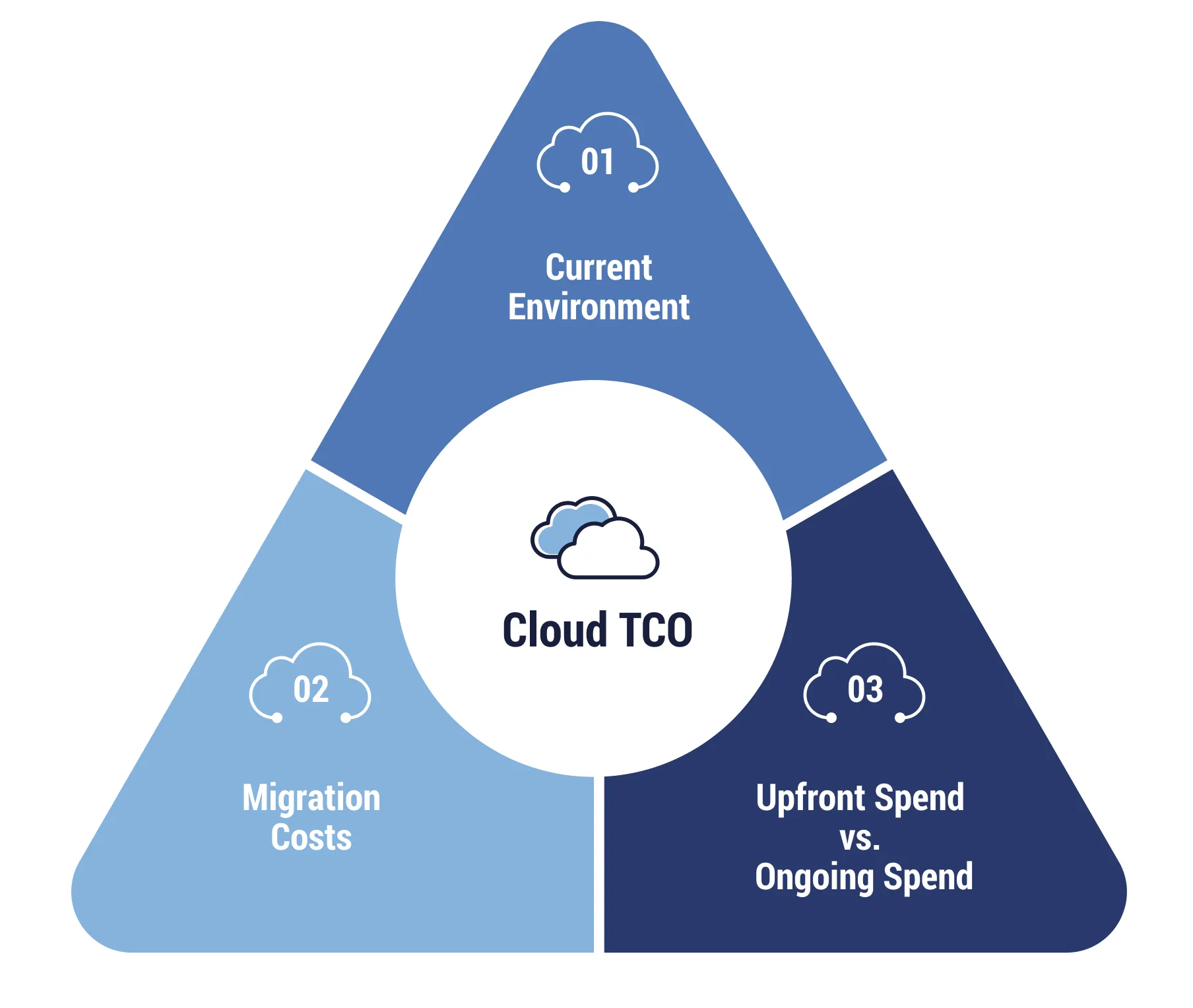
When businesses calculate their cloud TCO, they must be mindful of three key components: the current environment, migration costs, and what spending will happen upfront versus on a recurring basis. We’ll explore specific types of costs these components may include.
Initial Setup and Migration Costs
Moving to the cloud includes a lot of moving parts, so much so that a detailed migration strategy with spend considerations is essential. While this transition isn’t a recurring expense, you’ll want to factor in all associated costs for full visibility. These include expenses related to:
- Data migration
- Application migration, including rearchitecting or replatforming
- Data transfer and egress fees
- Professional services and consulting
Data transfer and egress costs often continue after migration, especially for hybrid architectures, multi-region designs, backup replication, and cross-cloud traffic.
Keep in mind that every migration is unique and there’s always a possibility for unforeseen challenges to arise. However, practices like careful planning, thorough testing, collaboration with experts, and effective communication can reduce the likelihood of disruptions. That said, organizations should account for the potential cost of downtime, migration labor, and hours lost in the transition.
Infrastructure Costs
Traditional IT infrastructure costs include physical servers, other hardware, and any accessories and equipment needed to operate. If you’re moving from on-premises infrastructure to the cloud, you need to factor cloud infrastructure costs, such as virtual machines (VMs), networking, and load balancers into the TCO model as well.
Keep in mind that infrastructure cost models also vary by cloud service model. In Infrastructure as a Service (IaaS), customers manage more OS and patching responsibilities. In Platform as a Service (PaaS) and Software as a Service (SaaS), more is handled by the provider, which can reduce operational and security overhead.
Compute Resources
Compute resources in the cloud include the costs of VMs, as well as containers and serverless functions. Compute is billed based on usage and pricing model, such as per second/minute/hour for virtual machines, per vCPU-second and memory for containers, and per request or execution duration for serverless workloads.
Storage Costs
How much does it currently cost to store your data and workloads? You can use this information to calculate what storage might cost with a public cloud provider. This involves assessing the storage capacity needed, the type of storage (object storage, block storage, etc.), necessary performance levels, and any associated data transfer costs.
Storage cost also depends on storage class or tier and retrieval patterns, since archive tiers can have lower storage rates but higher access or retrieval fees.
Software and Licenses
Any software you plan to use in the cloud, or licenses required for operating in your new environment, also need to be calculated as part of TCO. This can include the costs associated with operating systems, applications, databases, and other SaaS tools.
Some providers offer licensing benefits or bring-your-own-license programs that can significantly change TCO. For example, Azure Hybrid Benefit can reduce Windows and SQL licensing costs when eligible.
Before migrating applications to the cloud, it’s crucial to carefully review existing software licenses, consult with software vendors, and take into account any specific licensing requirements or options offered by the cloud service provider. Doing so ensures compliance with licensing agreements, optimizes license utilization, and helps avoid sudden licensing issues within the cloud environment.
Network Costs
In a cloud TCO model, network costs refer to the expenses associated with operating and maintaining the computer network infrastructure. These costs can include factors like:
- Bandwidth utilization
- Network equipment
- Network monitoring tools
- Data transfer fees
Cloud networking costs are often usage-based and can include data transfer (especially egress), inter-region traffic, load balancing, NAT gateways, and private connectivity services. Understanding your traffic patterns is critical because network charges can materially impact TCO.
Operational Costs
When operating in the cloud, many tasks associated with hardware management (hardware maintenance, updates, repairs, etc.) shift to the cloud service provider. However, the cost of personnel to manage the cloud environment should be considered within your cloud TCO.
Key experts may include cloud architects, administrators, security professionals, and other IT staff providing day-to-day support and maintenance. Factor in the ongoing operational costs of both in-house staff and external managed services providers, as well as the training and upskilling of employees.
Operational TCO often also includes governance functions such as tagging standards, budget controls, showback/chargeback reporting, and policy enforcement. These capabilities are commonly associated with FinOps programs.
Security and Compliance Costs
Cloud security follows a shared responsibility model: providers secure the underlying infrastructure (security of the cloud), while customers are responsible for configuring and securing what they run in the cloud (security in the cloud). The customer’s responsibilities vary by whether the service is IaaS, PaaS, or SaaS.
Businesses may need to implement encryption services, perform compliance audits, or invest in third-party security tools to ensure adequate security measures are in place and compliant with any relevant standards.
Backup and Recovery Costs
With on-premises frameworks, businesses are responsible for all costs and tasks associated with backup and disaster recovery. Cloud providers offer durable storage and a range of backup and recovery services. However, backup strategies and retention policies are still customer decisions and often incur separate costs based on storage class, frequency, retention, and recovery requirements.
Additional support may be needed for sensitive workloads or businesses that have little to no tolerance for minimal downtime. This can mean paying for additional cloud solutions with advanced features, such as compliance-specific data retention, detailed control, and automated data recovery.
How Does Cloud TCO Compare to On-Premises TCO?
Cloud TCO is not inherently cheaper than on-premises TCO. A migration can come with significant upfront costs, and when no optimization efforts are adopted, cloud expenses can remain high in the long run.
However, when a cloud environment is continuously optimized, it can drive better business outcomes. These results include greater organizational agility, scalability, and elasticity, which can improve performance, offer more opportunities for automation, and allow for better integrations. Businesses can also then leverage advanced cloud features and services, such as AI and machine learning (AI/ML) technologies.
The operational efficiency of the cloud has true cumulative value. The more organizations can pinpoint the time they’ve saved avoiding repetitive tasks, the better the cloud TCO will be.
Capital Expenditure vs. Operational Expenditure
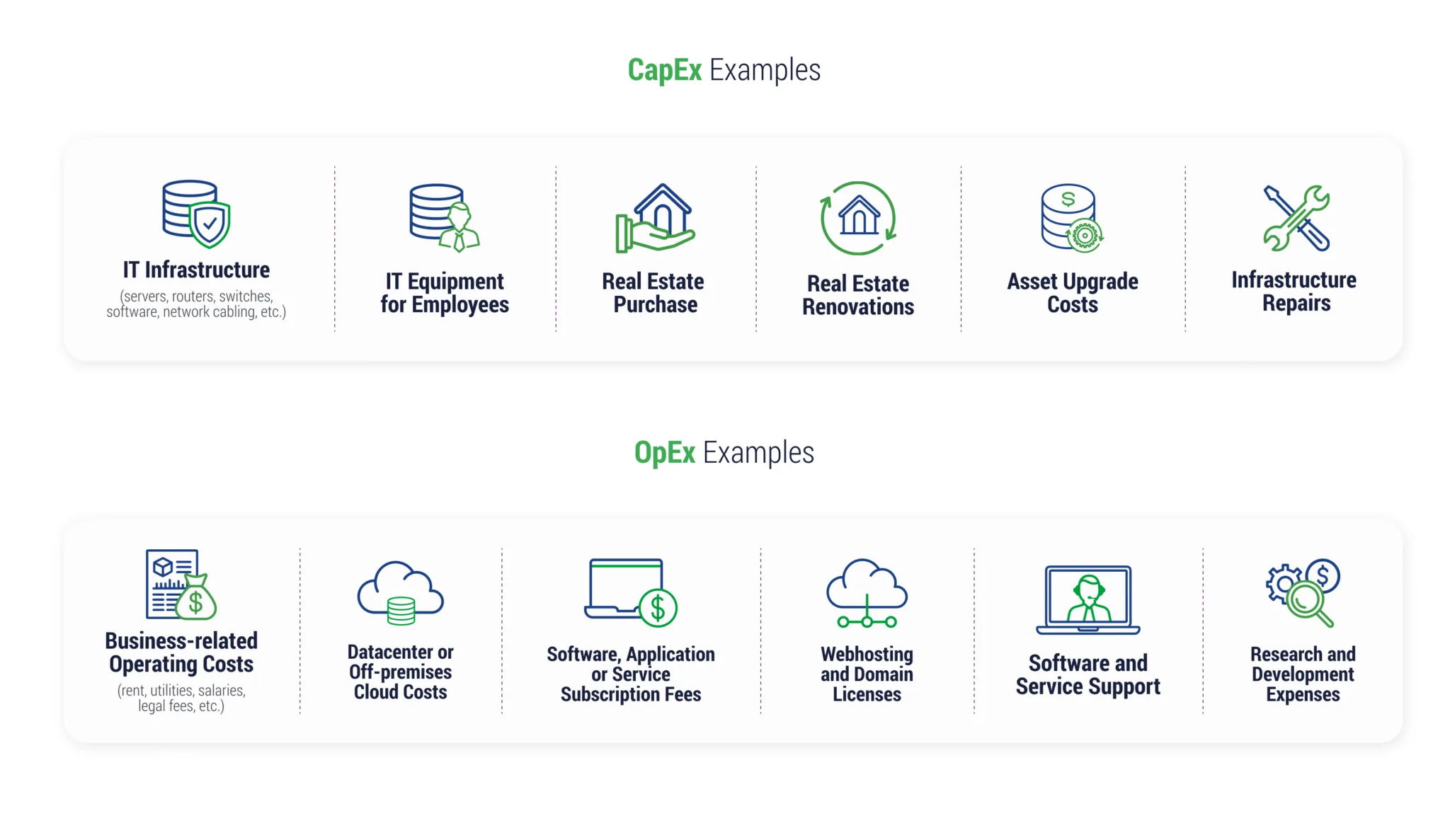
While on-premises infrastructure uses a CapEx model, leveraging the cloud shifts your IT budget toward an OpEx model, at least in part. Capital expenditures (CapEx) include equipment that you own – your data center infrastructure, for example. With operating expenditures (OpEx), you don’t pay to own equipment. Instead, you pay for what you use.
Moving from a CapEx to an OpEx model means that your organization will now have to pay monthly costs to a cloud provider, or other forms of subscription and licensing fees, for the use of the service, as well as access to support.
While cloud is generally OpEx-oriented, long-term commitments (like reserved instances or committed use discounts) can introduce predictable, CapEx-like spending behavior in exchange for discounts. With proper optimizations, these monthly cloud costs can be lower than the CapEx costs when spread out over a number of years.
Long-Term Cost Implications
Sunk costs are hard for people to walk away from. It’s easy to feel like you need to hold on to hardware you’ve purchased and stick with other large investments you’ve made versus walking away and choosing a different way of running your workloads. However, this rigidity and desire to stick to what’s already in place can have long-term cost implications. As other businesses innovate and modernize their applications and environments, you’re falling behind the curve.
While some sunk costs are inevitable, they shouldn’t be the line items that hold you back from cloud migration projects. The longer organizations delay modernization, the more they incur hidden costs through slower release cycles, higher operational overhead, and increased security risk. Consider the long-term savings you’ll enjoy by moving to the cloud.
5 Strategies for Reducing Cloud TCO
Although migrating to the cloud can offer initial cost savings, ongoing cloud cost optimization to reduce spend requires active evaluation and management. Here are five strategies you can use to reduce your cloud TCO.
Rightsizing Instances and Autoscaling
Rightsizing aligns resources to actual workload needs so you don’t pay for unused capacity. For predictable workloads, commitment-based discounts like reserved instances, AWS Savings Plans, Azure Reserved VM Instances, or Google Cloud committed use discounts (CUDs) can further reduce costs.
Autoscaling is another technique businesses can use to adjust resources based on demand, reducing the likelihood of spending money on underutilized resources.
Optimizing Workload Placement
Placing your workloads where they can be optimized for memory, compute, or storage can reduce your cloud TCO. Understanding which instances are optimized for which types of workloads can reduce costs. Workload placement decisions, including region selection, availability requirements, and hybrid connectivity, can strongly affect network transfer and resilience costs.
Leveraging Managed Services
Adding services when you’re thinking about optimizing spending can feel counterintuitive, but experts who specialize in optimizing cloud costs can provide a strong return on investment for your organization. For example, when a global payment solution company was struggling to control cloud spend, turning to TierPoint for advisory helped them reduce their total Azure spend by 20% in just one month.
Managed services can bridge any skills gaps on your team and provide a valuable outside perspective on business challenges you may be too close to see clearly.
Utilizing Cloud Cost Management Tools
Major cloud providers like Amazon Web Services and Microsoft Azure offer cost management tools that provide visibility into cloud spending, budgeting, and resource usage. These tools, such as AWS Cost Explorer and Microsoft Cost Management, help companies track, analyze, and optimize their cloud costs.
Third-party cloud cost management tools are also available. These might be useful for hybrid cloud environments to get a more holistic picture of total costs and resource usage.
Identifying and Eliminating Wasted Resources
Use cloud cost management tools to regularly monitor your cloud environment and identify unused or idle resources. Eliminating wasted resources with cloud-native or third-party tools can reduce costs and allow for greater flexibility with resource allocation. Many organizations also enforce tagging policies and use budget alerts or anomaly detection to prevent spend drift over time.
Optimize Your Cloud TCO With a Managed Services Provider
Innovating while staying cost-effective opens the door to more cloud modernization efforts, while freeing up your budget for emerging technology investments with high ROI. However, ongoing IT cost optimization requires continuous monitoring, governance, and architectural decisions, especially in hybrid and multicloud environments.
TierPoint can help you optimize your cloud TCO, so you have the resources and confidence that you need to keep moving forward. Our cloud-agnostic experts can support your continuous optimization efforts across environments, enhancing performance and reducing expenses with holistic solutions. Our managed public cloud services can also ensure the ongoing, proactive monitoring and optimization of cloud environments, so you can focus on hitting business goals.
Ready to discover new areas for cloud savings? Schedule your free cloud cost workshop today.
FAQs
TCO stands for Total Cost of Ownership. In the case of cloud TCO, this is a financial figure representing the direct and indirect costs of operating in the cloud.
TCO in AWS is the total cost of ownership to use AWS services, which can include direct expenses such as compute and storage, but also indirect expenses such as labor, security, costs for data migration, and software licensing.
Businesses can use tools offered by cloud providers or third-party companies to calculate their costs in the cloud. When using a TCO calculator, organizations should think about all potential expenses and how they might compare to projected cloud costs.
Table of Contents
-
Cloud
Jun 22, 2026 | by Matt Pacheco
Cloud Compliance: Challenges, Regulations, & Best Practices
VIEW MORE -
Artificial Intelligence (AI)
Jun 17, 2026 | by Daniil Zaika
AI in Cloud Computing: Driving the Future of IT Innovation
VIEW MORE -
Artificial Intelligence (AI)
May 12, 2026 | by Corey Soule
11 Advantages of Cloud-Based AI: Gain an Edge to Transformation
VIEW MORE